Email Deliverability, Cold-to-Warm Lead Strategy, Scaling with Pro, and FinTitan Agent Program Update
Live Webinar with Vanessa Roberts
(Raw transcription; not proofed for grammar or spelling.)
Click here for Google Doc of the transcript.
Opening & Personal Note
[0:01] Happy Monday.
[0:04] I would like to thank everyone for your patience and I'll tell you why we had to cancel last week. My family dog passed away Sunday night. Her name was Kayann Pepper and we had her for almost 10 years and she had a long great life and she passed away peacefully of old age an hour on her doggy bed in our living room but I was not able to come to work on Monday so we did have to cancel our call last week and that was the reason for why so I apologize, thank you for your understanding on why we had to skip.
[0:52] Thank you, Roche.
[0:54] Yeah, she was the goodest girl.
[0:58] But, you know, the Rainbow Bridge, a better place.
[1:02] Yeah, so I have recovered and returned to work. And so I am ready to jump back in today, but I did want to let you know that I wasn't just skipping out on ya. It was unfortunate, but we're back.
[1:18] Thank you, Mark.
[1:21] Oh, Steve, I'm sorry, you had a puppy for 20 years. That's amazing.
[1:26] I read something, you know, I was getting a lot of condolences and of course my social media algorithm picked up on my situation. So it was feeding me the stuff to tap into those emotions. But it said, your dog is your best friend for seven to 12 years, right? But you're their best friend their whole life. And oh, it punched me right in the feels. So, I think about that.
📌 NDA Program Update & Inboxing Topic
[1:54] Kevin, no, we haven't missed the inboxing topic. So, we have been trying to get through the FAQs for the small batch system for a while. But what's great about, you know, working through a bunch of FAQs is that I get even better questions that pop up on the call. So with all of your permission, I will continue that path of a guided conversation about the questions I know folks have asked in the past, but I'm gonna take the lead from you. As you are watching the slides and hearing us converse, any questions that you have, please pop them into the chat and we will explore together.
[2:39] Let me hydrate real quick while y'all get some questions in. Everybody should have been working the system for about a month now, right? We closed for new enrollment at the end of January, right? So everybody that's here should have had at least a month or so to jump in, get their feet wet, sink their teeth in, right, right, right? So any questions you've got, please post them.
[3:10] Lots of folks here are talking about the program we're not allowed to discuss. That's hilarious, Brett. All right. I do want to tell everybody here, because you're all small batch members, so you were all invited to sign the NDA. What I don't know is if you signed it or not. So that's why I can't speak about specifics, but I can say, first, GoToWebinar really let me down. It was supposed to be set up so that your personal join meeting link gave you access to the recorded call as soon as the call was over, so that you could just click that same link and watch the replay. It did not work. So if you want the replay of last Tuesday's NDA reveal call, send me a ticket and I will, the team will, not me. We check to make sure that you've got a signed NDA and then we give you a secure link to watch the replay. So we have a workaround. It's tedious, and I'm sorry, but we did make it work, but it's a process. So yes, please send me an email. I'm sorry, a support ticket at gistreport.fizz, and we will reply with a secure link that you can access the replay on. We ask that you don't share it.
📌 Agent Agreement & New Program Onboarding
[4:22] When is the training for Brian's offer and the link we should use, Kevin? Fantastic question. This I can discuss. The training on the offer, the onboarding, the issuance of your affiliate agent link, your access to your agent dashboard, et cetera, is all dependent on your signing of an agent agreement. That agent agreement should be sent out the day or tomorrow. I can't 100% commit to that because we do have to set it up at the end of docs. Exactly the same way the NDA was delivered to you, you will receive an agent agreement, an invitation to become an agent by signing that agent agreement. It will be an automated process. When you sign up, you're gonna get another email where you set up your IDN password for your agent dashboard. So you'll be able to log in, explore the system, and that will also give you your referral link. At that time, we will then set up additional training. We will share with you the email campaigns that you will be able to use, yes, with the Small Batch system. The Small Batch system members area will not house those campaigns, and the answer why to that is not everyone in Small Batch signed the NDA. So what will happen is you will be delivered, you will be given your email campaigns, and then when you use the Done For You services, you'll simply choose the option on the Done For You campaign that says I have my own campaign, and you just load it up. So easy peasy, lemon squeezy, but all of that happens — the gate to enter that world is signing the agent agreement and I owe that to you. It's going to come through PandaDoc as soon as I get clearance that it's finalized. Everything will be in there black and white, the commission structure that we went over on Tuesday, the payment plan, everything. I'm trying to be careful but everything will be outlined in black and white. And then if you have any questions, of course, you can come to me through support and we will iron them out. So that's the update on the program which cannot be named.
📌 Scaling & Campaign Limits FAQ
[6:22] So, let me jump into questions before we proceed. If we can only request one campaign set up per day, how do we ever scale? That means we can only ever submit 50 emails per day. Okay, Joe, very good question. We have talked a lot about scaling and when it is appropriate to do so and how you are able to do it. So I will encourage you to go back and go through the previous training that we've had, but I will touch on it. The ability to scale comes with when you are ready, when you've perfected your system, when your CRM is fully set up, when you've gotten your email warmed up through the warm-up service, when you've run through some single campaigns per day from a single sender, and you are ready to manage multiple sender accounts because it does incur an expense. I never rush people to spend more money, right? I always want you to be fully confident and comfortable with the program, understand the methodology, understand how to use the done-for-you services before you scale up, because the way you scale up is inside your members area under the drop down where it says Small Batch CRM — there's a page that says go to pro or upgrade to pro. To do this, you have to purchase a pro account through Go High Level. You purchase it directly from them — Brian is not selling you something. However, there are specific steps that you have to follow so that your pro Go High Level account can be tied, connected, or linked to your existing Small Batch CRM because we will help you migrate your Small Batch CRM into your pro account, all of your content, and yes, all of the done-for-you services continue. But with a pro account, you incur the expense of the daily emails that you send. So you are able to send from 3, 6, 9, 12, 15 different sender email accounts. And you can send the 50 emails to those 15 different contact lists. So 15 times 50, we're at, oh Lord, I shouldn't have volunteered to do that live math. 500. Okay. 15 times 50. I'm embarrassing myself. 500 to 750 emails a day. Don't tell Brian I can't do math in my head. But that's how you scale up. But again, we don't rush that because it does cost you money because you're buying the pro account from Go High Level, then you are paying for the additional domains, and you are paying for the emails that you send to Go High Level. When you use a Small Batch CRM while you have your training wheels on or you have your bumpers in your gutters in your bowling alley, you can't send for more than one account, you can't send over a hundred emails per day because we are able to keep you in that narrow path while you're learning the system. We don't want to send you off into the world, throw you in the deep end until you are confident that you have mastered the small batch system.
📌 Getting Started — Quick Start Guide
[10:00] All right, so that's the short answer, Joe, kind of got long, so thanks for hanging with me. So let's see — Stephen says I'm a member and I finally got my email to work. How do I proceed on getting started? Is there a form? Do I need to contact support? Stephen, when you log in to, I'm sorry, smallbatchsystem.com, your members area, there's a quick start guide. And on that page, there is training on how to get started with all the done-for-you services. And that is my recommendation for how to get started. Every single done-for-you service that we offer is exclusively managed through the done-for-you forms inside the small batch system members area. So understanding how to use those services is key. The past four — I think this will probably be the fifth call that we've done — we have calls every single Monday, but we have been focusing on onboarding, getting started, and supporting new members just exactly like yourself. So these questions, you will have great benefit to go back and listen to like the past month worth of these calls. Every call inside the members area on the live call replay pages have transcripts. You can download the transcripts, run them through AI, read the transcripts, watch the videos. We have an FAQ page, smallbatchsystem.com/FAQ, where we go through the most common questions. So we really are focused on getting you up and running as quickly as possible. But the very first step will be to log into your member's area and go through the quick start guide, okay?
📌 NDA Program — No Cost to Members
[11:49] Connie says, I don't know anything about what you're discussing, but we'll send in a ticket. Do we have to pay something up front, Connie? I think you were talking about the NDA new program. No, there's absolutely no cost to small batch system members to participate as agents on Brian's new product. You just have to sign the NDA and the agent agreement.
[12:09] Kevin said, yep, Kevin, you're right.
[12:11] Sheldon, I just upgraded to pro, woo! Yay, Sheldon, I would love to hear your feedback on how that process went. My team is tasked with making that white glove concierge service when you buy a pro account. Migrating your account — we work directly with the Go High Level technical team so that every benefit we've built into the small batch system does get migrated into your pro account so that we can continue to provide you those done-for-you services. So I want to make sure that that went well for you. Thank you.
[12:41] Ramaji says my sound is off. Can you summarize the new program please? No, I cannot talk about the new program here other than what we talked about at the top of the call and it'll be available on the replay.
📌 Guest Training — Jeff Hershey
[12:53] What is the call tomorrow? Does it have something to do with this? No, Kat, it does not. Tomorrow we have a guest, you might know him, Jeff Hershey, has a fantastic new program that we are very, very excited about and we're hosting him. He's agreed to teach a class on being heard above all the noise to get small businesses to listen and pay attention to you. So especially those of y'all who are participating in Brian's new offer that is targeting real businesses, it would be a great, great, great training for you. There will be an offer at the end, you don't have to participate in that. But it's great training. Jeff is classic for always providing real world actionable education, and also offering a solution. Of course, there's a product or a system that he has, right, but what you can learn from him from just attending the training is always really good. I've worked with Jeff for over a decade now, right alongside Brian — when Brian got really busy with the ERTC and Jeff had a — he actually had one of his longtime team members go and become a fireman, so he needed help. Brian actually likes to put me on loan and let me work with Jeff for about a year to help him get situated through that lapse. So I got to know Jeff really, really well, and he is — I mean, of course, Brian top tier — but Jeff is upper echelon right there with Brian for being a class act, honorable, unimpeachable integrity. So yes, if you have got an invitation to tomorrow's call, hop on for the training if you can. Of course, we'll have a replay, but no, it's not about Brian's offer.
📌 Email Warmup vs. Contact Warmup — Clarification
[14:44] As for math, send me a ticket. I can go through the details with you on that.
[14:47] I thought that you had said that we could warm up several different email URLs. So how does that work to warm up more than one if we can only use one? Sandy, okay, so that's two different processes. When you're warming up an email, you have simply purchased a domain and set up a native inbox. It's not connected to any CRM, you're just warming up an email. We literally log in to email.com or wherever your email inbox is located on your server and your host and we send emails from your email box. It is purely just warming up your actual email domain and inbox sender. It's completely separate from any CRM. You can do unlimited things. My team will do — I think you can request five at a time — yeah, you're warming those up now. It doesn't make sense to warm them up if you're not using them very soon because they will cool off again, right? So when you're ready to scale is the time to really ramp up warming up those email addresses. But no, you can — we can warm up emails however you want. If you're using free CRMs like I think Mailjet has a free option, then that is where this comes into play. You don't have to use a Small Batch CRM — we recommend it. We think it's the best. We've put a lot of work into making it super functional for you. But if you want to scale and don't want to incur the expense of going pro — I'm so sorry, I thought this needs — you don't want to incur that expense of going pro with Go High Level yet. You can use any of the free options. And that's where multiple warmed-up emails can be applied right now without going pro.
[16:40] Sheldon has called me out — my catchphrase, easy peasy lemon squeezy. I think I say it more than I intend to so now I'm gonna be super aware.
📌 Using AI for Transcripts
[16:50] Could there be some training provided on how to run the transcripts through AI? Oh sure, yes, I can — I love AI. I would love to do that and maybe we could jump into it today if everybody wants to do that. I play with AI all the time and I'm using it to help me with transcriptions from videos.
[17:16] Thanks Kat. Audio got cut off. I didn't hear that last minute or so. Yes, send me a ticket and we can help on the — you asked me to not read it out loud. I can advise on that. Just send me a ticket. I get support.biz. All right, so I didn't even ask. Everybody sees my screen.
📌 Keys to Inbox Deliverability
[17:30] How do we ensure emails land in the inbox, right? Okay, stop me if you have questions, but we will roll through the training and again, I'll follow your lead. So, the keys to making sure you get into the inbox. And again, there's no guarantee, but we have figured out how to get real close, right?
[17:51] So we've got the technical setup and that starts with domain authentication. In the Microrange Mastery course, we have a very specific module on this, and with the Small Batch Systems done-for-you services, we will do it for you. So it is the first pillar. It's very important. If you haven't done this, you absolutely need to. The training that we went through on the Microreach Mastery — and again, Microreach Mastery has now been added into the Small Batch System resources page. So when you hear me reference that, every single person here has access to that content. Um, I don't remember which module it was but it's called, you know, the authentication — it explains what the SPF, the DKIM, and the DMARC are. And basically it's how the internet entities, the ISPs, know who you are, know that your emails truly came from you and you weren't hacked or phished, and how to handle emails if they do identify that they're fraudulent or mishandled. So setting up these things in the beginning establishes a credibility that improves deliverability. If you don't do any of these things, the ISPs feel like you're a little sketchy. So we've made it as easy as possible with the training and then done for you. So that's great.
[19:13] Your list quality — validating emails to remove bounces and spam traps protects your sender score. You can do this yourself. The service I endorse is my email verifier. I always say it wrong. Let me — I'm gonna check right now and I'm gonna put it in the chat. It's either my email validator or my email verifier. I'm gonna pull it up right now. My email verifier. Yes, it's my email verifier. Alright, so I'm gonna put this in the chat so everybody can see it and it's very good. It's high quality. It has trustworthy results that have taken good care of me.
[20:13] So validating your emails first is huge. If you're running your own, please do check them. If you are using the Done For You email campaigns, we will do it for you. So we give you your massive list that we generate for you. Yep, Sheldon's endorsing. My email verifier is the best pricing I've seen for validation. Agreed. And Brian pays the bills for me, so he's glad that you agree with me that I've chosen the right one. But if you're using the done-for-you campaign setups, you segment the list we give you. We'll give you a thousand, fifteen hundred, two thousand, five thousand contacts in the criteria you ask for — you segment them into the campaigns you want to send. So you send us 75 to 100 of those, an infinite number of leads — we clean the list you give us, we only load the clean leads into your campaign, we only send to the clean leads. So the done-for-you system does that for you and pays for the verification. Verification when you use the done-for-you campaigns this way — we pay the bill. You don't pay for usage even though my email verifier is very affordable. We will pay for it. You don't have to, and if you're exclusively using the done-for-you services, that means every lead that gets loaded into your CRM is clean because we cleaned it, right?
[21:20] Your content — avoiding spam trigger words and maintaining a healthy text-to-HTML ratio. All of the done-for-you emails that we produce are text-based with very little to no HTML, and every single thing I write, we do run through an anti-spam program that we have built. Brian and I built it using AI even before Small Batch System was a twinkle in his eye, because we wanted to check the emails we send when we are doing marketing, and then we use the exact same system that Brian uses in-house to check anything I create for the Done For You email campaigns or anything you provide. If you want to use our anti-spam checker, we have that as a Done For You service — we use the same system. And when you use our Done For You spam check, we don't just run it and say, okay, you're good. We give you the report, the feedback back, recommended changes, et cetera, et cetera, but always check your content and with AI at your disposal now, it's so easy. You don't even have to remember what the spam words are, right? There's things like don't do too many capitalizations, don't use a lot of dollar signs, don't use promises for big big money — like if you write ten million dollars, the spam alerts, the little red lights start flashing, right? But you don't have to know that with AI. You can run it yourself or we can run it for you.
[23:04] Engagement — so positive signals like opens, clicks, and replies tell ISPs your mail is wanted. This is why we do the warm-up before you ever set up your CRM, because sending from Vanessa at mailbox.com — if I just bought the domain mailbox.com and I just set up my email account and I'd never sent an email before and I started sending cold email, the ISPs are going to think that this is hot, hot steaming garbage. Like it is just screaming spam, spam, spam, spam, spam. So with our proprietary process of our email warmups where we go in and we log into your email account before you've ever sent a single email, we send from you 50 to 100 emails to accounts we own and control. And then we engage. We open, we read, and some folks are monitoring how long an email is open on a screen, I swear. The same way it checks your algorithm on Facebook, right? What gets your attention. We save you as a safe sender. We mark you as never spam. If it lands in the promotion folder, we slide it over to the inbox. We replied. We do every single thing that ISPs are looking at to see if the emails you're sending are desired, wanted, if you are an invited guest or a wedding crasher, right? We do it to every single email. So that gives you a huge jumpstart. The ISPs go, okay, everything this person is saying, people want to hear, right? Marked as never spam, save it, favorite it, all that stuff.
[24:42] And reputation. So consistent sending, volume history, over time builds domain authority. Not jumping from sending 50 emails a day to sending 10,000 cold emails, right? That'll trash your score. Being consistent in your approach, 50 emails every day. Your volume is consistent. You're not tricking the system, right? You're not crashing a system. And then gradually increasing by sending more emails to folks who have engaged, right? That's the cycle. As they engage, you tag them as warm. As they engage more, you tag them as hot. And you can send more emails every day to those warm leads. An infinite number of hot leads can get an email every day. We don't recommend sending too many emails to the same person every day, right? But if you've got 10,000 hot contacts, you could email all 10,000 in a single day and it won't raise a flag because they're hot.
📌 Done For You Campaign Workflow
[25:43] Craig says, do we order the list first, then send it back to you? Yes, Craig, that's how it works. So you request your leads every single day and then that is a separate step from requesting a done-for-you email campaign. The done-for-you email campaign is where you choose, you segment out a portion from that big list — the 75 to 100 that are going to get cleaned first so that we can load 50 into your daily limit, right? Your campaign that's being sent to the 50 cleaned emails, right? So step one is to warm up your email. Step two, make sure you've got your — step three, segment your list and request the done-for-you email campaign where we clean the segmented portion of your list, we set up the campaign of your choosing, and we mail it for you out of your account, right? So where do we send those 75 each day — to Gordon, you're gonna use the done-for-you email campaign portion of your members area. Use the form, you'll upload your segment of the list, you'll choose the campaign that you want to send, etc. etc. etc., and if anybody is familiar with the done-for-you training, I do need to recommend that you jump back into smallbatchsystem.com and go through the quick start guide because the very first training there is understanding your done-for-you services, right?
📌 Inbox Deliverability Q&A
[27:03] All right, any more questions on the simple process of making sure we get into the inbox? Because that was our 47th FAQ.
[27:18] I guess it goes back to my confusion. If we're only submitting 50 clean emails per day, how could we ever scale to more than 50 per day? Joe, that's where I talked about having to upgrade to Pro, so that you can send 50 per day from more accounts. You can have Joe at emailbox.com and then have Vanessa at emailbox.com and Cindy at emailbox.com. These are separate sender accounts and those different sender accounts can also send 50 per day. So when you scale up, you can add additional sender accounts and send more emails.
[28:03] When we send a list of 100 emails for done-for-you campaigns, do we have to wait until that campaign finishes before sending another 100, or can we submit a new list of 100 each day? Brad, it's a really good question. And the answer is it depends. If you're sending a campaign that sends an email every day for, let's say, 10 days, and you load — you give me a list of 100, we clean it, and there's 50 clean emails. We start a campaign sending those 50 emails on day one — those 50 contacts get one email on day one. On day two, those same 50 contacts are in your campaign queued up, and so on day two you are also sending 50 emails but it's to the second email in that campaign. Is everybody with me on how campaigns work? You choose the people that are going in and every one of those — the 50 contacts get email on day one, email on day two, email on day three. So if you have set up a 10-touch campaign and you've loaded 50 contacts into a 10-day campaign, you don't have to do anything else requesting more campaigns for 10 days. It's already done. You're letting the campaign do the work. It's building relationships. It's making the recognition. They saw your name yesterday. They read from yesterday. Now they see you today. Maybe they didn't see yesterday. Maybe they will see tomorrow. You let that campaign do the work for you on those same 50 emails. And then once that campaign stops, you are back to not sending any emails per day, but you have the capacity to send 50, right? So then that's when you would set up another campaign to run. This is during the initial phase of your setup where you're learning how to use the system before you've upgraded to pro.
[30:05] Now, that same methodology — that is the small batch system. That is the MicroReach Mastery approach, sending batches of 50 every single day from a single sender address. When you want to send 100, this is where you need to add a second sender address with a second campaign with a second segment of your list, and they will get — those 50 contacts will get an email from that sender every day for X number of days in the campaign. Are there any questions about how that campaign works?
[30:41] Richard asks, when we upgrade, we still only send 50 per email? Richard, yes — the MicroReach Mastery slash Small Batch System approach is that any time you're sending cold email — this is a cold contact, they didn't opt in, they didn't buy something from you, they have not raised their hand, they have not waved at you, they are totally cold — you never send more than 50 cold contacts an email from a sender address in a day ever. Your goal is to get them out of the cold and into the warm. When they're warm, that's when you can send 100, 200, 300, 400, 500 daily because they're warm. They've clicked, they've replied, they've purchased, they've opted in, they've come to a webinar, right? They're warm. But when you're catching a cold and you're nurturing it, it's always only 50 per day per sender. Does this make sense? I don't want to rush this because it is the crux of the small batch system. That's where we got the name. They're small batches of cold that we're trying to get into warm to hot.
[31:53] So if we have more than one campaign sending 50 per day, we need to upgrade, Nicola? Yes. Yes. Yes. You need a pro account that will allow you to send from multiple senders so that you can send multiple campaigns from multiple senders, each sender capping out at 50 per day. Exactly.
[32:13] When we upgrade, do we have to upgrade the CRM too? Craig, you are only upgrading the CRM. Brian is not selling you an upgrade to the small batch system. The upgrade to pro is not to Brian. It is buying a pro Go High Level account that you manage. You will incur the expense of the account. At this time, you're not — you are not paying a limit or the — the Go High Level charges by how many emails you send. Right now, you're not paying that, right? It is part of the SmallBatch CRM, it's all rolled up. When you upgrade to Pro, you are buying straight from Go High Level. We, the SmallBatch system done-for-you team, will migrate the functionality of your SmallBatch CRM into your Pro account, and we will continue to provide the same SmallBatch system done-for-you services on your now Pro CRM, okay? So you're not upgrading to Pro with Brian, or with me. Okay, and to find out more information on how to do this, inside smallbatchsystem.com in the top right corner of your page is the link GoPro under the Small Batch System CRM. Okay, please stop me if there's any questions about that.
📌 Cold to Warm Lead Progression
[33:30] How do we get more than 50 warm ones when we never mail more than 50 at a time? Richard, an email goes from cold to warm — you're mailing cold, they become warm when they click, reply, purchase, right? They take action. All of the activity, the engagement is monitored through your engagement amplifier system, which is built into the functionality of your small batch CRM — it happens automatically. When they engage anyone in your small batch system CRM, any engagement tags them as hot or warm, right? The first step is warm. You can filter all of your contacts. So if you've sent 20 campaigns, 50 each, that's a thousand contacts that have gone through. Let's say of those thousand contacts that have gone through your cold email outreach, let's say 250 of them have clicked, replied, purchased, watched the video, da-da-da-da-da. They've engaged and they are now tagged warm. At any time, right, you've got that pro account and you're ready to start targeting your warm — you can send an email, you can send campaigns to 250 warm contacts a day. Right, the 50 cap is in your cold email outreach. Again, there is great training on this in the MicroReach Mastery course inside your members area on the resources page. So I'm not gonna go too deep into it, but the details of how the engagement amplifier segments out and identifies engagement so that you can scale up is there. But that is how you develop warm leads. You engage from your cold.
📌 Trust the Process Philosophy
[35:26] Asmath says, my suggestion would be to announce to everyone and request to trust the process and go through the training in full. Apply the learning. Build everything as instructed. Grow your business. Then worry about scaling. As math, that is absolutely my philosophy and thank you for putting it so succinctly. I like to say I'm not rushing you to spend more money and that's the truth, but trusting the process so that you understand it before you incur any additional expense, that's key, so thank you. I'm hearing a lot of questions based on possible future hurdles and challenges, all based on sheer hypothetical. We've all joined because of the leap of trust we took in Brian and Vanessa. Thank you, so let's honor that. Oh, thank you, because you guys are awesome souls who are very professional, honorable, with great integrity. You can say I said this. Yeah, thank you as well. And thanks for — I got the permission to repeat it at the end after I'd already jumped in. So I'm glad it was okay. But thank you, that's a ringing endorsement. And I very much appreciate it. But it's true. I do want you to trust the process. We worked really, really hard to give you a complete training so that you understand conceptually why this works, right? Because there are people out there who will sell you a kind of oil and tell you, oh, with this approach, you can, from day one, send 10,000 emails to an ice cold list and you're gonna make a million dollars printing money. And I will never say that to you. I will tell you, I've gotten Brian's account shut down because I sent too many cold emails. I got brazen. I didn't know what I was doing. I didn't understand these concepts. I hadn't set up my DKIM and DMARC correctly. I have failed. I had to call my boss whose business runs on internet marketing as his COO, Chief Operations Officer, and say, um, I got our account suspended. And I have learned from that. And I helped him build the course off of everything I did wrong, everything we did right, so that you don't have those same hurdles and challenges and failures and struggles.
📌 Members Area Walkthrough
[37:37] Let me jump into the small batch group so I can show you where. Tell me, did the screen update? Do you now see the inside of the members area? All right, it says, welcome to the small batch system.
[37:58] Yeah, I was very much like, oh, oops. I was actually terrified to tell him, but he was very cool. You know, no risk, no reward.
[38:07] Carlton says, no sound. Can everybody hear me? Carlton, yeah, we did talk about the new program at the top of the hour, so you'll be able to catch it on the replay. I see that you didn't see it.
[38:18] Okay, so here is the small batch system members area. Here is our quick start guide. This is what I want you to do first, right? The complete done-for-you system walkthrough. Everybody asks — everyone who asks, where do I get started? First, learn how to let my team do it for you. You can do it yourself, you don't have to. You know, we've got 20 folks literally working full-time to service these done-for-you requests — use them. The second, your Small Batch System CRM. This is training on you using your CRM. Alright, then we've got revenue generators, etc. etc. So these two are definitely your top choices. Now under resources, you've got the MicroReach Mastery course — if you haven't already gone through this I very much recommend — this should be your next stop. In fact, I'm gonna update that front page to make sure that this is the number three stop on your journey, right?
[39:29] I think the DKIM and SPF and all that setup was in here. Engagement based. Okay, so this is where the engagement amplifier — this is where you'll learn how every email you send, every contact that you've got is constantly monitored in real time to see when they convert from cold to warm. This one is great, great, great, great training. CAN-SPAM and compliance. There are laws in America about what you can and can't do to send cold email marketing. This training tells you everything you can and cannot do and it also goes over what is automatically done for you using the small batch system and the small batch system CRM so that you don't even have to worry about it, but it is good that you're aware of it. Using AI the right way — we had one on creating content and checking your own content with AI. And then being one of the top 1% of email marketers is a recap of the core parts of the small batch system, the MicroReach Mastery System, detailing what we've kind of talked about here a good bit about keeping it under 50, how to scale up, et cetera. Then it does offer what you guys all have which is a small batch system done-for-you upgrade, so you will hear that, but maybe it'll just remind you of something that you didn't remember that you could use, that you've already got, and you could come tap into these resources that are available to you. So the MicroReach Mastery course is really a can't-skip, so go through that — please, please, please, please — and that is the process that you should trust if you haven't already gone through it.
📌 Campaign Mechanics — Further Q&A
[41:16] So let's see, yeah, gotta get that alphabet soup, right? Okay, Kevin — Kevin was on the training. I kept fumbling the letters when we called it alphabet soup, that's fun. No soup for you, right?
[41:29] Let's see — if I understand well, after the initial campaign, the 50 addresses may have shrunk to 40 or less of hot subscribers. Yes, so that's your goal. You wanna start with 50 colds. And by the end, you want many of them — I would love to say 10, 20, 30 have engaged in some way and have moved to warm. Absolutely, yes. That's the goal. You don't wanna keep working those 50. What you really wanna do is eliminate the people who are interested. That's the goal. So you've got it right. Right, right, right, Paul.
[42:02] Sorry for — when a target's emails are warmed up with my email account and others with email account two and three, are they not just warming up? Okay, so Richard, the email warmup, the done-for-you account warmup — we are not warming up the contact. And we're saying to warm up too much, I think, is the problem. You warm up two things and when you're working with cold email — your brand new domain that you're sending emails from, you need to warm it up. You want to build your own reputation as a valuable information broker, right? You're sending emails that people wanna get. That's step one, warming up your account. When that account is warm and you're ready to send, that's when you start sending cold emails. Those contacts start as cold because you have no reputation with them, you have no relationship with them, they've never heard of you, you've never talked to them before — they're getting a cold email. When they engage, they click, they reply, they buy something, whatever they do, they fill out a lead capture form, whatever — they go to war because now you have some sort of reputation and relationship with them. That's when you can talk to them more, you can send them more emails. And then as they engage more from warm, they go to hot. So I do apologize, I don't make the rules — the vernacular of warming up your own email address and also warming up your contacts — I do see how that is confusing and I apologize. So you warm up your own email address so that you can send, and then you warm up contacts by sending them cold emails and letting them engage. So I hope that makes sense.
📌 Using Done For You Campaigns — Your Own or Library
[43:48] With regards to Illusional and the new — I can't say that word — when submitting through Small Batch Systems from the drop-down box, okay so on the done-for-you — I'm just gonna — I'm not gonna read your question, Steve. I'm just gonna have a thorough answer. So when you are sending a done-for-you email campaign request, some of the emails that you might want to send are provided by the small batch system. Under your resources, there's all these email campaigns. You can send any of them. Let's say I want to send Insurance Health Landing New. So, I'm going to copy that text, okay? I come down here and I say, my email message, campaign. I have my own email campaign or I want to use a small batch system done-for-you campaign. Everybody see? So, if I want to send one that has already been written, I simply paste in the name of the campaign that I want the done-for-you team to go out of the small batch system library and use. Okay, then there's questions — is it a single mass email? Is it the three-day? Is it five-day? Is it the ten-day option? Okay, so just know what you want us to send. Alternatively, if you have your own email campaign or you have been given a campaign in a third-party system from Illusional, right — some of you know what that means. If you're not a part of Illusional, that's okay. Maybe you signed up to be a JV for an affiliate product and that JV has given you an email campaign or what they call swipe, and you want to use it — totally fine. Maybe you've written your own local marketing campaign, maybe you are selling Girl Scout cookies, maybe you are a part of Brian's new — we can't talk about it — program and he's given you an email campaign. All you have to do is click I have my own campaign, and then upload your email template here. You just give it to us, and we will still do it. You just have to upload it in a Word doc. Does that make sense?
[46:08] Awesome. Okay, so let's warm up the email domain, then shmooze the list. Kevin, I think we should — let's take a vote. We're not warming up cold emails anymore, we're schmoozing. But that's what we're doing to the list of contacts, right? We're trying to build a relationship. We're trying to get to know them, let them get to know us, build the trust, develop yourself as the authority so that eventually they will engage with you. They'll be warm. They will trust you. They'll get to know you, they'll buy things from you, right? But I mean that's the nitty-and-the-gritty of it, right? That's what we're all trying to get to — buy something from me, or if you're working with Brian on various projects, sign up to talk to someone else so that you can buy something from them. Right? Brian's We Can't Talk About It program. I love it. The program that cannot be named.
📌 Members Area Live Tour & Replay Access
[47:00] All right. So while we're inside the small batch members area, are there any questions here? I can just do a quick walk through. Members only. If you click on the members only — and that's in the nav bar, not the drop down, right? Members only. I clicked on the word members only. I know you can see a drop down, but that's not where I clicked. Up here you can see it in the URL bar. It's members only. This is where all the calls go — the call we are on right now will be here tomorrow. Our previous call was February 9th because I was out last week. Again, apologies for — I know we missed each other. I have a great, great time with you guys on these calls. And here I'll show you — we do have the recording and then we have, you know, if there's any information that is pertinent, right? And then we have transcripts. So like this — this was discussed right now. This is, this should not be here. This is from a revenue booster. I'll get that taken off. But anyway, that's funny. The small batch system training session. So this is the transcript.
📌 Live AI Demo — Running Transcript Through Manus
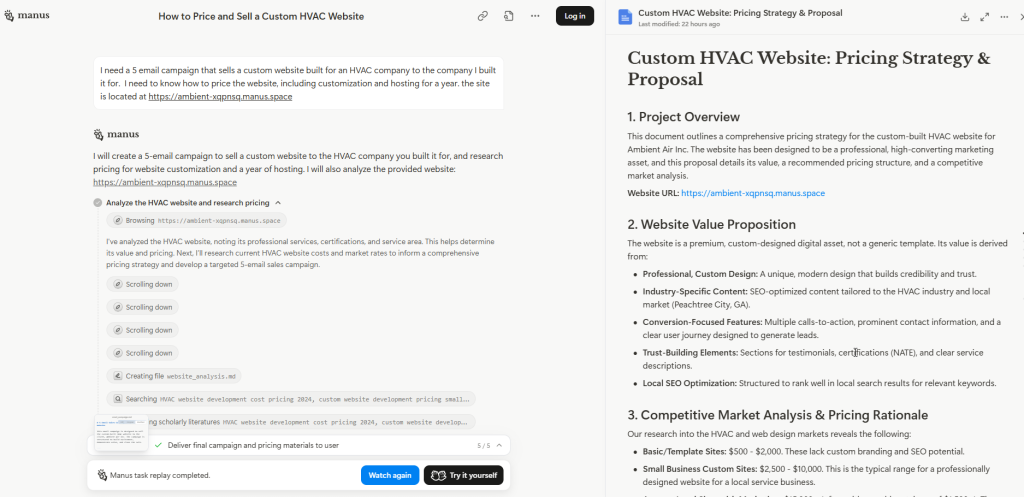
[48:10] Oh, you guys wanted to see how to run it through a transcript, how to run through AI. So look, I'm just going to copy. Everybody with me. We're just gonna do Manus real quick. All right, so you can do this in any AI, but Manus is my favorite. So this is the transcript of a training I missed. What are the key points I should take away or go watch to see more of? All right, I mean, just off the top of my head. So I'm going to let it think while we keep talking.
[49:02] Any status on having the AEO Elite campaign? Yes, Gary, please send me a ticket and I'll send it to you. Because I can't publish it in the members area because it's a bonus specifically to AEO members, but I'll send it to you. I got it.
[49:13] Did you see my question about the daily list provision service, Kevin? I think, let's see, let's warm up the email. Can you tell me again? Because I think I might have missed it.
[49:22] So 10 emails get moved to the warm. Can we then add 10 new to the cold? So Sandy, that's a great question. If you have 50 and you put them into the top of an email campaign that's going over five days, I would set it and forget it like a rotisserie chicken. I would let the work happen for the week. I wouldn't micromanage it. At the end of the week, I know who's cold. They didn't pay attention to me in five to seven emails. I'm not going to bother them anymore. Maybe I'll try again in a month. They stay cold. The following Monday, I'm going to start fresh with a new set of 50 and send a new campaign. It could be the same messaging — we're going to send it to new people. Out of those 50, let's say 15 engaged. I now have 25 warm and 75 people who didn't pay attention to me and they remain cold. I put them aside and I think I'll mail them again. I'll try with a different offer, different subject lines, different catchphrases, different calls to action, whatever. I'll try again in a month. Okay, I'm not gonna bother cold people too much. But instead of — oh, one person turned too warm, I'm gonna add five more people in — like that kind of thing, that kind of — it becomes inefficient, right? We're just trying to bam, bam, bam. We're trying to get through a thousand cold emails, right? To get to the hot 100, right? The Billboard Top 100, right? Those are our greatest hits, right? That's what we wanna talk about. You want a fast no because that's as good as a slow yes, right? So just think of it that way — a five-day email campaign gives them five chances to see your email, five chances to engage, and if you don't catch them in five you might annoy them with six. So I just like to keep it moving.
📌 Email Campaign Templates — Who Fulfills?
[51:19] That gets the prompt to run through Manus is not — is what's not supposed to be there? Ah, don't — I don't know, Kat, I'm confused. Is it this gray part right here sent to Manus? Yeah, that's where it's just telling me what to type.
[51:31] On all these pre-created email campaign templates that are already in small batches, are those presupposing that we do the fulfillment from our own system? Yes, Joe, any email that is written from the perspective of, you are selling local marketing services — that is for you to use if you are selling local marketing services that you are going to service, that you are going to fulfill. Our infinite winning loop is if what you're selling is lead generation to small businesses and you are generating leads for yourself by emailing small businesses — and this is in the batch training, so I'll just touch on it now, we can get deeper into it later — what you can sell them is lead generation using the small batch system, right? If they reply to your email, you won. You have the testimony that you can say back to them, I'm going to do it for you and I know it works because it worked on you. You know it works because it worked on you. I will use the same approach, the same system to mail your cold contacts, your customer list that isn't currently buying from you. Let's work together to craft a message that will entice your customers to come back and spend money with you. Now, in the Small Batch system, we also have email campaigns that you can offer them. So let's say you're mailing coffee shops and you are selling your service of helping this coffee shop make more money. And you're reaching out and saying, hey, I'm Joe, I can help you make more money. I can help you get more customers. And they write back, oh, great, how? Okay, so your answer then is — and this is very shorthand — I can contact your database of people you have generated, like your local area, your cold list, your past customers, et cetera, and we're gonna email them and offer — I have a draft of an email that I think you'll like, and it's basically, we miss seeing your face, come back, let me buy you a cup of coffee. And in that email is a coupon code that you work out with this coffee shop that gives the recipient of the email if they click a $5 gift card for a free cup of coffee. Okay, so what you're doing is you are using the proven methodology of a small batch system, right? It's proven because it worked. The coffee shop owner engaged with you and came to you and built a relationship with you, right, so it's a proven system. And then you're using their list and sending their offer, which will then drive revenue and customers back to them. And yes, every single step that I just outlined can be fulfilled through the done-for-you service in a small batch. You can service your clients with the small batch done-for-you. Now, when you're ready to start breaking out and sending emails for your clients, you're definitely going to want a pro account because that's where you can make a sub account for your client. You can brand all the emails for your client. You can send from a domain that is reflective of your client. So we can get into that deeper. But yes, you can use the small batch done-for-you email campaigns to land tree service clients, right? And then order fulfillment and reactivation campaigns. So let's see. I'm not gonna — I'll get into the weeds if I do it, but like these are examples of how to reactivate the cold contacts that the company that you're working for has. All right, so that's the cliff notes of that.
📌 Support & Holiday Coverage
[55:17] I was asking how support handles list requests around holidays. Do you send prior notice of submission, da, da, da, da, da, da? Our team is international. We generally run a skeleton crew over the holidays. So we might have one or two folks who actually like work on Christmas. The US holidays don't affect them. And while they have national holidays in the various countries that they live in, they rotate through. So we really have coverage most of the time. If we are totally shutting down and we can't fulfill, we will let you know, and the team — I do not require them to work on weekends. We're Monday through Friday around the clock. I don't require weekends. I often work on weekends. They — despite me telling them to rest and recuperate so they don't get burned out — many of them work on weekends. Usually there's a really quick turn time even on weekends. But I can't guarantee it. But yeah, Monday through Friday, and except for like Christmas and New Year's, you're probably not gonna be affected by holidays — but it's a great question.
[56:34] So do the warm ones stay in the same system though, or do we have to get a new system for them? Sandy, they will stay in the same Small Batch CRM, and if you upgrade to pro, yes, we will help migrate everything over — contacts, campaigns, history, reporting, absolutely everything. So if they become warm in your Small Batch CRM and you upgrade to pro, they will be warm in the new system, but you do not need to maintain two. You can just simply manage the segments of your list.
📌 Sending Frequency & A/B Testing
[57:03] Have you done A/B testing comparisons? No, Gary. I mean, yes, but no. We don't get that in the weeds when we're doing cold email. He's asking like, what's better? Monday, Wednesday, Friday, Tuesday, Thursday, Monday, Tuesday, Thursday, Friday, Saturday. Everything we do is set up for daily, every single day, boom, boom, boom, boom, boom. Because again, we are taking a fire hose approach and letting people opt themselves out by not participating, you know, opt out or not reply. So we want as many touches without — we don't wanna touch so much like five emails in a single day, which will of course get us reported for spam, right? But we want to be present and consistent so that we can get their attention, but not so much that they report us as spam. And if you do a day or two or three in between you could lessen the likelihood that they're gonna recognize you and get curious — they might miss the messaging. So over the course of the 20 years I've been doing this with Brian. Yes, we've split-tested it but as far as providing those different options and such inside small batches, we don't — everything is day, day, day, day. And we skip weekends if we're emailing businesses.
[58:27] So, let's see — when I have achieved warm contacts, do I use another email account to continue? Sven, you do not have to, no. Once you have a segment of your list that is warm, we recommend that you continue to use the same email address that has been established with the warm-up service. It's an email address that they have engaged with, so they have established their relationship with that email address. If you were to change over to a new sender, that would lose that relationship, right? So no, keep sending your warm list from the same email sender as your cold list. The only time I would recommend taking them off that email address is if you have an agency style, actual customer database, right? Where you are selling your services directly with your own cart, and you want to segment out and keep totally clear customers versus marketing contacts. If you are doing affiliate marketing, lead referral, et cetera, et cetera, et cetera, I would just stay with the same — whatever email won them over, I would keep it in that house.
[59:38] Testing techniques only make sense after contacts have been effectively schmoozed. That's it, Kevin, yes.
📌 Support Ticketing System
[59:45] What's the support email again? Carlton, we don't use an email address for support. We have a ticketing system. The whole reason we're here is because email fails us and stuff goes to spam. So we ask that you go to getsupport.biz, getsupport.biz and open a ticket. I'm gonna type it out, www.getsupport. Now, once you have created a ticket there, the email exchange back and forth is safe. The system knows if you're replying to a ticket that we've replied to, then that back and forth can go through the email back and forth. So you don't have to log in and check for ticket status, etc. You absolutely can, but you don't have to. But to create a ticket request, please do log in because I hold my support staff very, very strictly to a 24-hour response time Monday through Friday. So, I can promise you, if you've opened a ticket through getsupport.biz, we will look at it the same day and respond within 24 hours. But if you email in, we might not see it, and that's where you don't get the service you deserve. So, I know it's a little tedious to go to that URL and create a ticket that way, but I promise you, that is so I can hold every single person on my team, their toes to the fire — because what I do, I go through two or three times a week and I'm like, this ticket is 36 hours old, who didn't respond, whose job is this, what was this — and that is also so that you don't wait around. My goal is for you to get the help you need as efficiently as possible.
[1:01:39] Da, da, da, da. Did you see my previous message, Carlton? Yes, get support — that's what I meant. I didn't see your previous message, Carlton. If you'll repeat it, I'll get it.
📌 Pro Account Tiers & Sender Limits
[1:01:47] How many different sending addresses can we have from the upgrade that sends 50 emails? Once you upgrade to pro, that's up to you how many sender email addresses you have because Go High Level has different account types, right? You can have an agency account that costs $497 a month. I think their least expensive is $47 a month, maybe, might be $97 a month. But there are different features and limitations to each level of account. So it's totally up to you. Because that's between you and Go High Level. Again, you're not paying Brian for that upgrade.
[1:02:31] You're — is there a way to get a delay? Carlton, you can send me a ticket and I can — we can talk about the scheduling, okay?
[1:02:40] Can I niche my URL for this cold email system by adding an additional word at the beginning? Okay, so you're talking about subdomains, Sandy, and the answer is no. When you are sending emails, you are sending from a domain. Adding a word to the beginning or the end after a slash before the dot is subdomains, subfolders, et cetera, et cetera. In our system, there's a lot of technical reasons why that will not work and why it doesn't protect your address from spam complaints. So we've gone over it in other trainings and we're running out of time today because I'm actually already over my limit. So I just have to say no, don't use subdomains or subfolders.
[1:03:24] Let's see, Sheldon got the least expensive pro account, it was $97 a month. And honestly, I think that is absolutely plenty of the functionality that you need. Gary upgraded to the $297 version because they have unlimited sub accounts. Now here's what's great. You can start at $97 and you can upgrade to $297 when you need sub accounts. Like Go, High Level is very customizable. And Sheldon says, I've seen promos for 50% off that price for three months, I think. That's awesome.
📌 Going Pro — CRM Training & GHL Academy
[1:03:53] Okay, so real quick, I'll say going pro. So under the small batch system CRM, we've got CRM tech training. So if you want to learn how to master the self-fulfillment, doing it yourself inside the Go High Level CRM, there is a fabulous Go High Level Academy and you can get it for free if you upgrade to Pro, because they have a 14-day trial. So if you don't want to upgrade to Pro, but you want the training, you can just cancel within the first 14 days. Now, if you're ready to access the Go High Level Academy, what you do have to do is make sure when you start your trial from anywhere that you are starting through the link that associates your pro account to Brian. So I'm going to click start your 14-day trial. I'm going to show you something right up here. You see AMA Family LLC 62. Starting your trial — as long as your referral link has this, it allows — everybody see up here where it says AMA Family LLC — this is what allows us to migrate your account over. So it's very, very, very, very important that however you start your trial, however you go pro, you use a link from inside the members area and when you sign up you make sure it says this up here. And if after you do it you have any questions you come to support — we can see on the back end that your new pro account is linked to Brian because again, that's what allows us to migrate it over. The upgrade ranges from $47 to $497.
[1:05:59] Let's see, PSI is asking, so you bought the MicroReach Mastery course with a monthly software license? That is the MicroReach Mastery Small Batch CRM. That is not the pro account, PSI. You say that PSI or you say PSI? So just start your trial. You can get it for 14 days for absolutely free and then you can go through your Go High Level education. And it's fantastic. Taught Rose everything she knows and then she taught me some of it.
[1:06:28] Let's see. Okay, so Go High Level's cheapest tier is $97, but sometimes they have promotions. Okay.
📌 Wrap-Up & Final Q&A
[1:06:34] All right, so we didn't get through many of my slides, but I think we had a really productive hour together. Anything else you guys want to talk about before we wrap for the week?
[1:06:50] Kevin, you're a — I got my catchphrases, huh? You're very welcome, Steve.
[1:06:59] All right, and then if you have questions about how to upgrade to Pro, Small Batch CRM, upgrade to Pro, right? And this is basically what I just said. You have to upgrade through the link that — again, AMA Family LLC is up at the top. And then transfer my account. This is a request form where we migrate it over for you.
[1:07:31] Oh, we didn't look at the transcript analysis. Okay, so let me read through the training transcript and see the takeaways. Okay, then Manus says, I've analyzed the transcript. The key takeaways are there's a new affiliate program with NDA, action required and what to expect, the small batch methodology — the core philosophy of the system was repeatedly emphasized. Sounds like today's call, right? Standard versus pro accounts. Okay, we talked about that too, and what are our done-for-you services. And then it reviews — we have an email account warmup, campaign setup, list validation. And it's got timestamps for you, so you can jump to it and hear it. Lastly, our CRM training and resources, recommended training — yep, same thing we just talked about here. So that is a snapshot where it just evaluated the transcript — I love it. Manus is my best friend. I joke with Brian that me and Manus are a dynamic duo.
[1:08:22] Folks are gonna do this instead of actually going through the members' training. Honestly, I'm all about efficiency. I read Cheaper by the Dozen when I was in sixth grade. And it wasn't the Steve Martin funny movie — at the time it was — if you ever read Cheaper by the Dozen, it was about a man who was an efficiency expert. He had 12 kids and everything in his life was honed down to the most perfect system ology. And that's how he managed to have a functional life with 12 children. I was the oldest of six children. It really resonated with me. And my entire life, I honed back in — I harken back to that book and just think there's got to be a better way to do this. There has to be a faster way to do this. There has to be a smoother way to do this. And it is how I helped Brian build the small batch system. It's how I've done the done-for-you services. It's how I approach all of my training and all of my support. So yes, if I can give you a more efficient way to do something because your life is too valuable, your time is too valuable to be spent, listen to me yap on and on and on — I have a great time doing it. I'm happy you're here every week and we absolutely can. But if you're going back and you're revisiting this or if you're catching up on all — we've got two years worth of content in there, guys. Small Batch, we've been doing this for two years. I don't expect for you to listen to two years of hour-plus calls, right? Yes, absolutely, run it through AI.
[1:10:02] Sheldon says, big sis, learn management early. They put me in charge of those kids way too early. That's for sure. Kat was the oldest of seven, so you know exactly where we're — you know what it was like. Kevin, it was a great book. I mean, it was a children's book — it was written — I read it in middle school as required reading, but it really — it was in my formative years and it shaped my life.
[1:10:16] PSI paying $47 a month from MRM plus paying $200 months for small — PSI, or PSI — if you upgrade to pro you won't have to pay $47 anymore, cancel that, right? Don't pay for both. Right, the what you pay Go High Level is separate from the small batch system done-for-you membership. Okay, so if you upgrade to pro that is an additional expense, and that's why I say emphatically — don't rush into it. You don't need it from day one. Only get it when you need it because it is separate and additional to your small batch system $197, right? But if you are doing that, yeah, cancel the $47 software, PSI — absolutely.
[1:11:12] Cass says, I'm the shortest so they didn't see me as having any authority. Well, I was the tallest and I bonked him on the head, that's for sure.
📌 Closing Remarks & Program Recap
[1:11:16] All right, everybody, thank you so much for spending all this time with me today. I hope that we helped. I think I answered every question. If I missed something and it's holding you back, tell me right now. I can stay for another 5-10 minutes. If there is something that you are chewing on, struggling with, a reason you haven't sent an email yet, or a reason you haven't gotten your email account warmed up yet. If you haven't started schmoozing, tell me how I can help you, right? You might have seen — if you're familiar with the Done For You forms, we have been streamlining and making the Done For You forms more efficient. We had a drop-down list that listed the Done For You email campaigns, but we have over a hundred now, right? So that's not efficient. So that's why we switched over to the copy and paste, tell us what campaign you want us to run a format.
[1:12:12] Let's see. Rose says, thank you. You're very welcome. Sheldon's ready to hit the ground schmoozing. I love it. Sheldon says have a great week. You as well. We are in the Facebook group. If you have any questions, if you want to keep the conversation going, let's do it. Support is getsupport.biz. Don't email in, open a ticket so I can hold everyone who's helping you accountable.
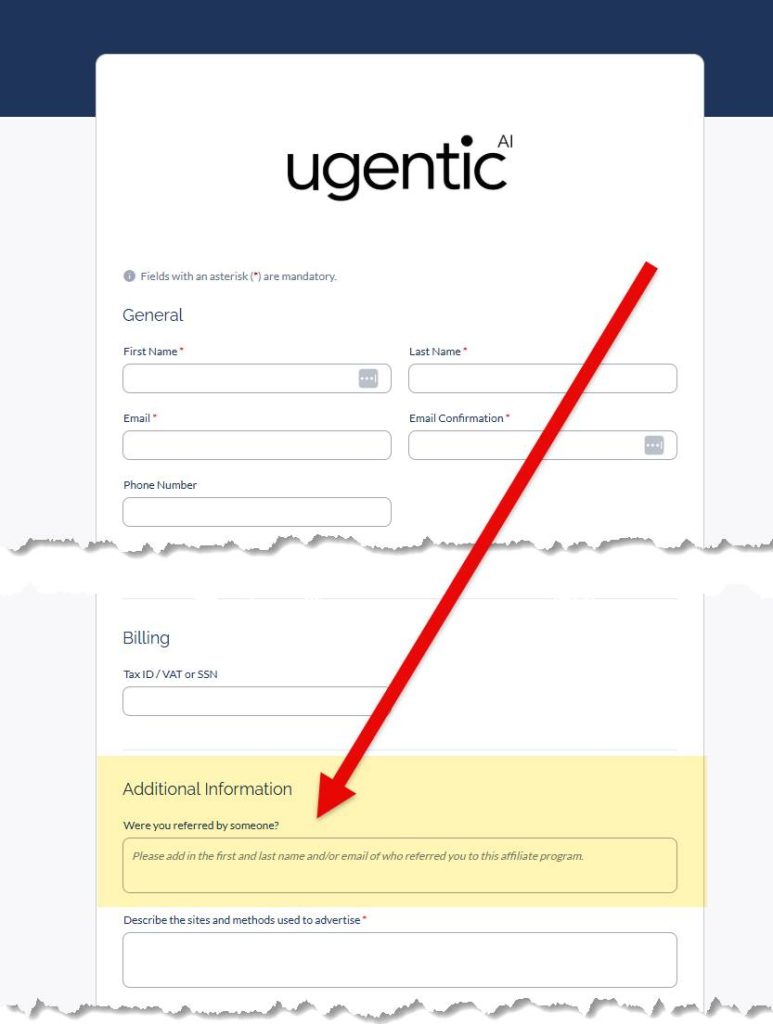
[1:12:34] Let's see. Marv is waiting to get the new business going. Fantastic. When can we access it and get moving? Okay. I will close the call with a recap. We started the call, a lot of folks came on a couple of minutes late — I get it. So we'll recap it. You've signed the NDA. You came to the onboarding call, the big reveal last Tuesday. If you missed the call or you want a replay, send me a ticket to support that fizz. GoToWebinar was supposed to allow your join meeting link to access a recording as soon as the call was over. It did not. I don't know why it failed, but it failed. I have a secure link to a controlled environment that will allow you to see the replay. It is not published publicly, okay, but I have a link that'll work for you. If you need to see it and you signed the NDA, send me a ticket — I will give it to you or someone on my team will. Okay, the next step is an agent agreement. It will put in black and white writing, clearly, commission terms, terms of engagement, which you are and are not allowed to do as an agent, and it will come to you via PandaDoc the exact same way the NDA did. Once you sign this, you become an agent for FinTitan — which is the — that is — we're running through this, okay — this is a FinTitan offer, the way ERTC Express was the ERTC offer, this is a FinTitan company, okay. So you're gonna get — and that's where the NDAs came from, so you're familiar — the exact same address, exact same name, okay. Once you sign the agent agreement, then automatically you're going to get a link to set up your agent dashboard, your user ID and password to access your dashboard. Doing so will generate your agent referral tracking link, which is what you will share to promote the offer, okay? After your agent agreement is signed, after you're in the dashboard, after you have your link, that's when you will start getting information about — here is your email campaign, here is your social media graphics, here's a social media post, here's a video, et cetera. As we build that out, it'll come to you. At this time, we don't have a Facebook group or a members area. This is not a course we're selling, right? You're just becoming an affiliate. I anticipate that there will be a need for something like that if I am unable to load some of this stuff into your agent portal dashboard. I'd love to only have one place for you to have to mess with, right? But so that's still in the works because we have been focused on building the company and the offer, and we're not selling this course. It is only exclusively available to current small batch system members like yourself. Okay, so that's a recap on the program that shall not be named. The agent agreement should be this week. Not one week, not two weeks — should be this week. I caught up with Brian on Friday. He was just waiting on the principal of FinTitan to sign off on the agent agreement so that I could get it loaded up into PandaDoc and get it out to you. Believe me, I've got my foot on the pedal on that, guys. I hated that you had to wait a week on the NDAs — that tore me up. And I don't want there to be any more delays. I know how excited we all are.
[1:16:01] When the agent agreement will be available for the new product — real, that's real, Paul. That's what I was just talking about. So we're hoping for — this week is my — that's my goal.
[1:16:07] I managed to get here about 20 minutes late. Will this webinar be available for a refund? Yes, Johan — every single recording is always available to you in the members only tab of the Small Batch System members area. And I think you can see that on my screen right now. Tell me if I'm wrong.
[1:16:24] Let's see. All right. I will keep you — you guys are probably all starving. Everybody on the East Coast is ready for lunch. I know I am. I think I — actually, I think my groceries probably got delivered while I was on the call. I included a rotisserie chicken so I could make a little salad. So I'm gonna go eat lunch. I hope you all have a great day. Let's see. Yes, she will do that as well too. All right, everybody have a great time — I'll see you in the Facebook group. And if you need me, the support desk is standing by. We'll talk soon. Thank you so much. Bye. Bye.